Saturday, June 22, 2013

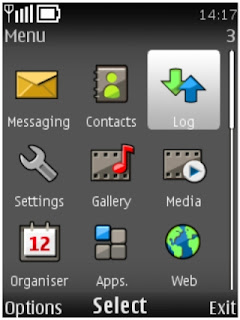
Nokia s40 phones JAVA apps minimizing trick

Each non-smart phones running the software should prompt -Do you agree to read user data was dead tired.

Now finishing the next,without brush machine,you can achieve break the certificate authority,to remove the shackles of the purpose of the certificate.

  1. Install Phoenix on your computer(PC)
  2. Connect your mobile to your computer in pc suite mode, open the Phoenix (before opening phoneix exit pcsuite on your computer using exit option in pcsuite [file----exit] )now open Phoenix and click on File -Scan Porduct.
  3. Then Phoenix will find your cell phone and shows your phone information in bottom line of Phoenix.
  4. Click on Product- Product File.
  5. In the bottom of pop-up window click on Read
  6. Turn to an option for Java TCK Support. It is 28th option in some mobiles, 48th in some other mobiles, if not 28th 0r 48th option scroll through options you will get some where in options after you got ''Java TCK Support''option.
  7. In the right drop-down menu to select the Java TCK - ON (JSR75 R W).
  8. Click-Write.
  9. Close Phoenix, unplug the phone, shut down and then boot. At this point the certificate have all been cracked mobile phones, If you need to restore permissions, and then follow the steps above Step7 will be amended to default the first one (JAVA TCK OFF) option. (I believe no one will want to go to restore bar!)
  10. There is the need of ppu files in this processs of hacking, just we are changing a setting in product file.
  11. The product file will normally be inside the package u downloaded from allnokia.ru but plz note onlu use ppu from package,bcoz every different firmware version has different ppu you can use this method of hacking in minimizing java apps also after hacking your phone using the given method.

Editing java apps for minimizing

  • Open jar file which you want to minimize on your computer using winrar,
  • there you will find META-INF folder open that folder in that folder you will get MANIFEST.MF file Open that file using notepad and add these line at last Nokia-MIDlet-no-exit: true after that save that,
  • press ok for every thing that asked,
  • now send that jar app to mobile and test it,
  • press red button(call end button) to minimize.

Friday, June 21, 2013

How to Try Android Apps Before Buying

Android repository contains lots of Apps, some of them are free and some of them are paid ones. When we talk about paid ones our mind always have one question that it will fulfill our requirement or not. So here i will tell you how to try android apps before buying. As we know that android apps starts from 99¢ to 200$ depending on the application.


Get ready to know How to Try Android Apps Before Buying?

    1. Go to Android Market and search for the paid app that you wish to buy.
    2. Purchase the App that you’d like to use and now you can test it for the next 10-12 minutes.
      Here lies the actual logic. In Android Market, you can cancel your purchase and get your money refunded.
      Remember that you’ll have 10 to 12 minutes to cancel your order.
    3. Now if you don’t like the app, Go to the Android Market app on your mobile and tap the name app found under “My Apps” that you wanted to refund.
    4. Hit the “Refund” button and now the app will automatically get uninstalled from your phone.
    5. Next, you’ll be asked for the reason for removing the app. Simply check mark the option “I’d rather not say” and the purchased amount will be refunded.
    6. You’ll receive a confirmation mail from Google saying that your order was cancelled and you’ve not been charged.
Points to be remembered
    • The refund option will be disappeared from the app 15 minutes after your purchase.
    • You can return your app only once.
    • Go through the Google Refund Policy for more details.

Thursday, June 20, 2013

How to use Mobile Phone Camera as USB Webcam

Do you know how to use mobile phone camera as usb webcam? No, Then here I will tell to use your mobile phone camera as usb webcam. As we know that many social community sites such as Facebook and Google plus, they have video chatting feature, and we know that to start video chatting we need Webcam. Sometimes webcam is not available then we can't start video chat. But reading this article you can use mobile phone camera as USB Webcam.


Yes you Can Use Your Mobile Phone Camera As Web Camera For Facebook,Yahoo,Skype Or Any other Video Chatting Supported Sites.

Requirements to make mobile phone camera as USB Webcam:
  1. A Cell Phone with camera. 
  2. A Data Cable Or Bluetooth Dongle To Create Connectivity Between Computer And Your Cell Phone
  3. And Computer.
You can use this trick with any kind of mobile phone such as, Nokia, iPhone, Blackberry, Windows Mobile Phones, Symbian S60, Android.

This Trick For Nokia Java, Symbian S60, iPhone, Blackberry, Windows Mobile Phones :
  1. Go To This Link http://mobiola.com/mobiola-web-camera And Click On Download And Select Your Mobile Phone To Start Downloading The App.
  2. Those Who Are Using Java Phones Like Samsung,Sony Ericsson, Nokia 5300,3500 etc. Download That Application From This Link http://mobiola-webcam.en.softonic.com/java 
  3. Mobiola Consists Two parts..One Is Client Part And Other One Is Server Part 
  4. Install Server Part On Your PC (.exe File) And Install Client Part On Your Mobile Phone (ie. .jar,.sis e.t.c). 
  5. Run Mobiola Webcam On Your Computer. 
  6. Run Mobiola Webcam On Your Phone. 
  7. Connect Your Mobile Phone With Your Pc By Using USB data Cable Or Bluetooth Dongle. 
  8. Now In Your Cell Phone Go To Mobiole Then Go To Options Then Connect. 
  9. After That Select Bluetooth Or USB (Whatever Is Connected Between Your Phone And PC) To Create A Connection.. 
  10. After Authentication all work done
If You Are Using An Android Phone Then Follow These Steps To Turn Your Mobile Phone As A Webcam :
  1. Go To Android Market Or Google Play By Your Android Phone And Search For A Application Named "Usb Webcam".
  2. Download And Install That Application On Your Android Phone and Turn on USB debugging By Going (Settings->Application->Development->USB Debugging).. 
  3. If You Are Using Windows On Your Computer Then Download Server For USB webcam From Here http://www.placaware.com/?page_id=6 
  4. If You Are Using Linux On Your Computer Then Download Server From Here http://www.placaware.com/?page_id=116 
  5. Install Server On Your Computer. 
  6. Connect Your Cell Phone Via USB cable To Your Computer. 
  7. After That Double Click To Open Server From Your PC, And Open Client app From Your Cell Phone And Create A Connection. 
That's all. Now you can use your mobile phone camera as USB Webcam.

Wednesday, June 19, 2013

Free Marketing Strategies For Small Home-Based Business

It is well-known that advertising on TV, popular magazines or newspapers etc are traditional but the most effective marketing channels. However, these methods are indeed too expensive for small home-based business owners, especially for those who just start-up their own home-based business.

We, Quick Money Saver (QMS), think that modern marketers should thanks to Internet, as some cost-effective, powerful and even free online marketing methods have become available for small home-based business in the recent years.

How to Save Money on Marketing Your Small Home-Based Business

Now we would love sharing a few useful tips to help you save some money on marketing your small home-based business but without sacrificing results or quality. Most of these tips are extremely helpful to reduce your total business operating costs quickly and effectively. Implement these free marketing strategies repeatedly can save time and money while attracting millions of extra visitors to your business website.

The first useful and free marketing strategy is about link exchanges. In fact, exchange links (URLs) with other same-niche websites is now the most popular marketing method and SEO (Search Engine Optimization) technique being used by many small home-based businesses. Basically, link exchanges can help raising link popularity and link diversity. It also gives a better chance to get higher ranking in search engine placements which depend on the number of effective backlinks (BLs) towards particular website.

Furthermore, your website can get higher chances to attract more new visitors or to be browsed by web surfers, which can increase your overall sales as well as ROI (return on investment) significantly.

It is extremely easy to find out which particular websites are willing to exchange or reciprocate links for free, without having any risk of spamming others. Just visit any major search engine such as Google, Bing or Yahoo and then write in the search bar with keywords like "Cheap Online Shopping Link Exchanges" or "Cheap Online Shopping Reciprocal Links", if your home-based business is about cheap online shopping. Then, those top 20 websites listed in this search will provide you great resources for high-quality link exchange purpose. You may contact those webmasters individually via their emails to suggest reciprocating links with these good ranking websites which can also help your own business websites to achieve higher ranks in popular search engines for free.

However, bear in mind that algorithms for popular search engine are changing constantly from time to time. For example, the recent Google Panda or Penguin updates emphasize more on resourceful website content, and put less focus on websites with link exchange or thin content. In addition, extensive link exchanges which aim at manipulating organic search results are generally not welcomed by modern search engines like Google, Bing or Yahoo. Now we can say reciprocal links are not as powerful as before for gaining your website authority. We, Quick Money Saver (QMS), therefore do not encourage extensive link exchanges at all and must remind you to do that marketing tricks very carefully, at least not to violate any existing Google Webmaster Quality Guidelines. Nevertheless, reciprocal links can at least bring you some direct clicks from high-authority websites and can still be a free SEO (Search Engine Optimization) technique for any new home-based business promotion.

While traditional advertising on TV, popular magazines or newspapers are far too expensive and not feasible for marketing budgets of small home-based business owners, please do not give up. No matter your home-based business is about "Cheap Online Shopping" or not, there are still many effective marketing strategies which are free for use online. We, as a Quick Money Saver (QMS), will definitely share more similar free marketing strategies with you in the coming weeks, so please do stay focus on our new blog post updates about home-based business promotion or SEO (Search Engine Optimization) technique.

What Is Web Hosting: Types & Tips


Choosing a domain name and web hosting are first essentials when it comes to planning and developing a website. Website owners provide their websites’ files to the web host for storage and publication on the Web. So, a web hosting is like an “online home” for a website. Web hosting service allows making the website accessible on 24 hours/day and 365days/year. Web hosting companies provide internet connectivity and space on a server they own. 

Generally, it works as follows. Any website has a domain name, which is actually linked to an IP address and points to a certain computer. When a user enters the domain name into the browser address bar, the IP address is placed and the website is loaded from the web hosting provider. In order to publish your website you have to find a reliable web hosting company that delivers quality technical support and no downtime. 

Web Hosting Types

There are two web hosting types: free web hosting and paid web hosting. Free web hosting offers limited services. Paid web hosting is completely different and offers more services and many benefits. 

Free web hosts offer basic limited features and become a good choice for technically simple websites (blogs, personal sites, diary sites, and other average sites with low traffic and small files). Free web hosts make it possible to setup many popular PHP and MySQL database web applications. You can store the website on a free hosting, but should know that some free hosts use forced ads that appear on your site.

Paid web hosts are a better choice for business sites, e-commerce, and other types of large websites. Paid web hosts vary based on costs and provided services. Paid web hosting monthly prices depend on the amount of the webspace, bandwidth, CGI access, technical support, domains hosting, security levels and additional web hosting services.

Also, there are shared web hosts where your website has a shared IP address and is one of hundreds websites located on a certain server; and, dedicated web hosts where your website is the only one that resides on its server. 

Web Hosting Tips

To host the website, you have to take the following steps:

• Choose a good unique domain name
• Select a reliable web hosting company
• Analyze carefully your web host features: hosting type, IP address, amount of space, bandwidth, control panel, nameservers, FTP info, etc
• Have your website files ready to upload to the server
• Install FTP software (or Filezilla, or SmartFTP) to transfer files to the server
• Change your nameservers
• Upload your files to the server: Open the FTP software (you can use Filezilla for free) Enter the required information (domain, username, password) Transfer website files to the server
• View your new website by typing website address in the browser
• Praise yourself and enjoy new site

Modern Web offers many web hosting providers. The choice of the web hosting company depends directly on your website goals, type, size and budget.

Tuesday, June 18, 2013

How To View Hidden Friend List On Facebook

Facebook gives privacy to its user, and therefore some Facebook users take this advantage to hide their friend list form world. But sometimes there are many reason for that you want to see your friends friend. Using this tutorial you can become able to see your friends friend list on Facebook. And this is very helpful for those who have girlfriend/boyfriend to check whether he/she cheat you. So, get ready to view hidden friend list on facebook.


Here we make use of Facebook friend finder to view hidden friend list on Facebook.

Just follow some simple steps:

  • First of all make new Facebook fake or original account, preferably fake one lolz.
  • Add that guy or girl to your new Facebook account
  • When he/she accepts your friend request(hopefully) then you are having one friend in your friend list.
  • Now according to Facebook algorithm Facebook suggest you that people those who are already in the friend list of your friends.
  • So if you are having just one friend then Facebook show you all the friends.


This is the simple trick to see hidden friend list on Facebook and sometimes may not work for you. If have any problem regarding this tutorial post your doubts in comment section below.

Monday, June 17, 2013

How To Remove Shortcut Virus From Pendrive

Are you victim of shortcut virus? In these days this virus becomes very popular and it keep going increasing and losts your data. Basically this virus created shortcut icon in your pen drive, so it gets difficult to get data back if you deleted that shortcut icon. So don't get nerves i will tell you how to remove that shortcut virus.


Here we will discuss how to clean that virus. For this there is no need of any antivirus software. If you have not formatted your flash drive then you can solve this problem by using following methods,


So lets start,

First of all click on "Start" -->Run --> type cmd and click on OK.
Here I assume your pen drive letter as K:
Enter this command.

attrib -h -r -s /s /d k:\*.*

You can copy the above command --> Right-click in the Command Prompt and
paste it.

Note : Don't forget to replace the letter k with your pen drive letter.
Now press "Enter".

That’s all...

Now check for your files and folder in Pen Drive.